
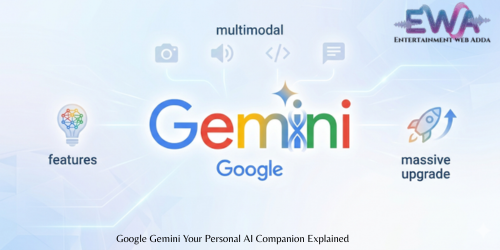
Google Gemini: Is it actually worth using?
If you’re anything like me, you’re always looking for ways to get things done faster. Lately, everyone is talking about Google Gemini. I’ve been playing around with it, and honestly, it’s much more than just a chatbot that writes emails for you.
Think of it as a smart assistant that you can talk to normally. You don’t need to use weird technical commands. If you have a question, you just ask it. You can try it out here: Google Gemini.
What can you actually do with it?
Most AI tools only work with text. Gemini is different because it can “see” and “hear.”
Here’s what I mean:
If you have a blurry photo of a document you can’t read, or you have a video of a task you’re stuck on, you can show it to Gemini. It’s smart enough to look at that image or video and give you the answers you need. It also reads really long documents in seconds, so you don’t have to spend an hour flipping through pages.
If you code, it’s a lifesaver. You can paste your code, and it’ll tell you exactly why it’s not working and how to fix the errors.
The big Gemini 3 update
Google recently rolled out Gemini 3, and it’s a big jump up. The coolest change is that you don’t have to keep switching tabs. Google put an “AI Mode” right inside their search engine. It makes the whole experience feel less like using a separate tool and more like part of how you already use the internet.
I wrote a deeper look at all the new features for my blog, which you can check out right here: Gemini 3: Massive Upgrade & New Features.
My take
Is it perfect? No. But it’s getting better every day. Whether you’re trying to plan a trip, debug some code, or just summarize a long email thread, it’s definitely one of the tools I find myself opening up almost every single day. If you haven’t given it a shot yet, it’s worth a few minutes to see if it makes your daily work a bit easier.





Pingback: Mercy : Can AI Truly Judge a Human Life?